Real estate photo editing

Listing photos, ready to sell.

Edit one photo or an entire property, create social content, and deliver everything from one focused workspace.

Three edits free. No credit card required.

25-second comparison

ChatGPT vs WSPR Photo

Same listing edit. Two different ways of working.

One editor, two ways to work

AI creativity. Professional control.

Generate the change you want, then finish the photo with instant adjustments, straightening, and four-line perspective correction.

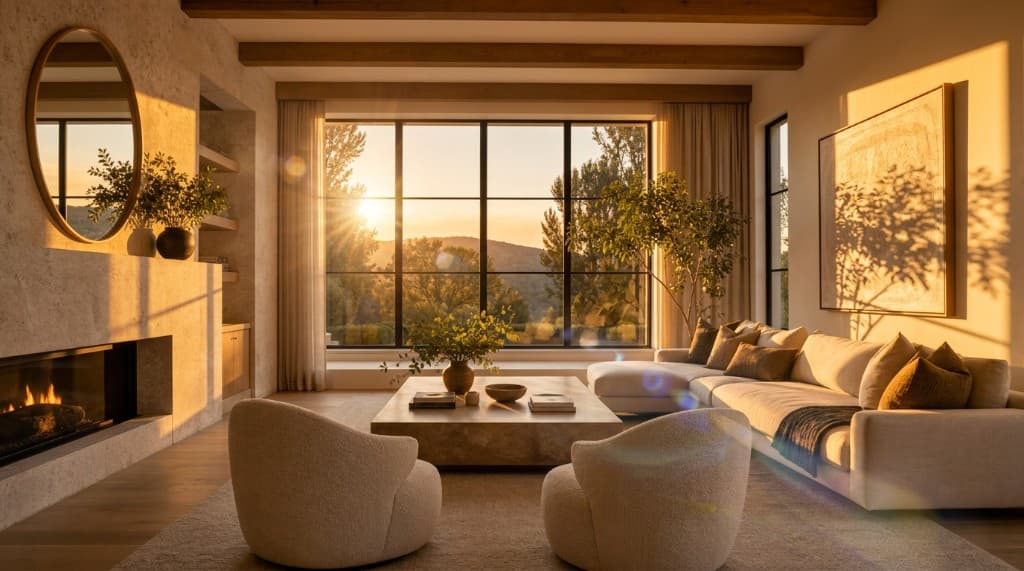
Original empty living roomVirtual staging living room resultGolden hour + lens flare living room resultDraw to edit living room resultEdited · Golden hour

Up to 100

photos per bulk edit

Instant

original comparison

Targeted

draw to edit

2K / 4K

approved upscales

The full workflow

One listing project. Every deliverable.

Stop moving between an editor, a design tool, loose download folders, and revision emails. Keep the whole listing in one clear workflow.

01

Organize

Start with one listing project

Upload up to 100 photos at once, reorder them, label the project, and keep every original untouched.

02

Edit

Bulk edit the full listing

Apply an edit to multiple photos at once, request versions, and keep working while every result generates.

03

Create

Turn the listing into social content

Build feed posts, stories, photo grids, carousels, branded end cards, and ready-to-post exports.

04

Deliver

Download exactly what you need

Export one image, edited-only ZIPs, originals, social slides, or the complete project package.

Purpose-built photo editing

Fix listing problems, not the identity of the property.

Choose common real estate edits instead of writing a perfect prompt. For unusual requests, add references or mark the exact area directly on the photo.

Original living room with dark interior exposureLiving room with balanced HDR exposureHDR enhancedOriginalDrag to compare

Real results

See the difference.

Real estate photos finished for the listing. Swipe or move across each image to reveal the original, then see the model and settings behind the result.

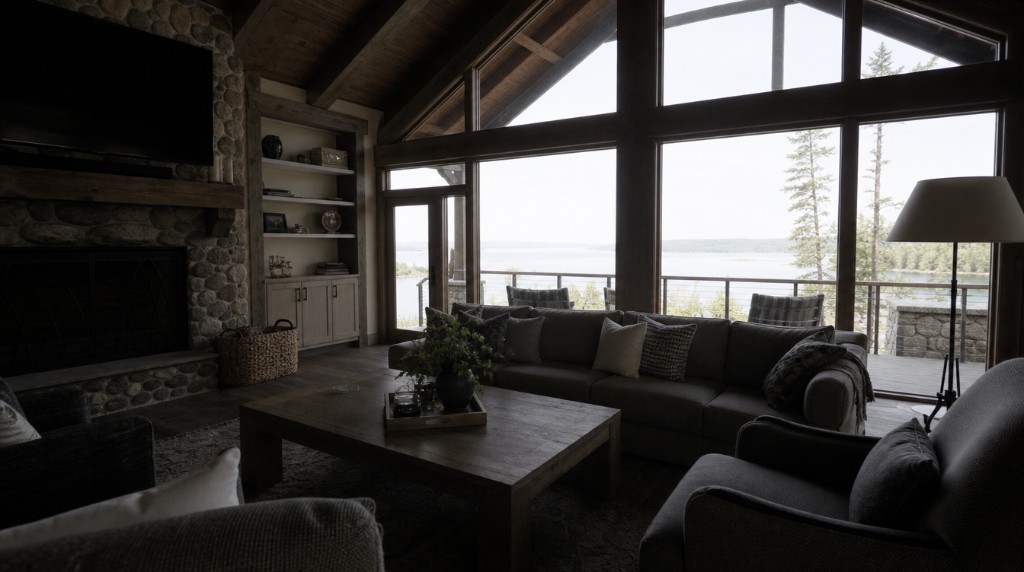
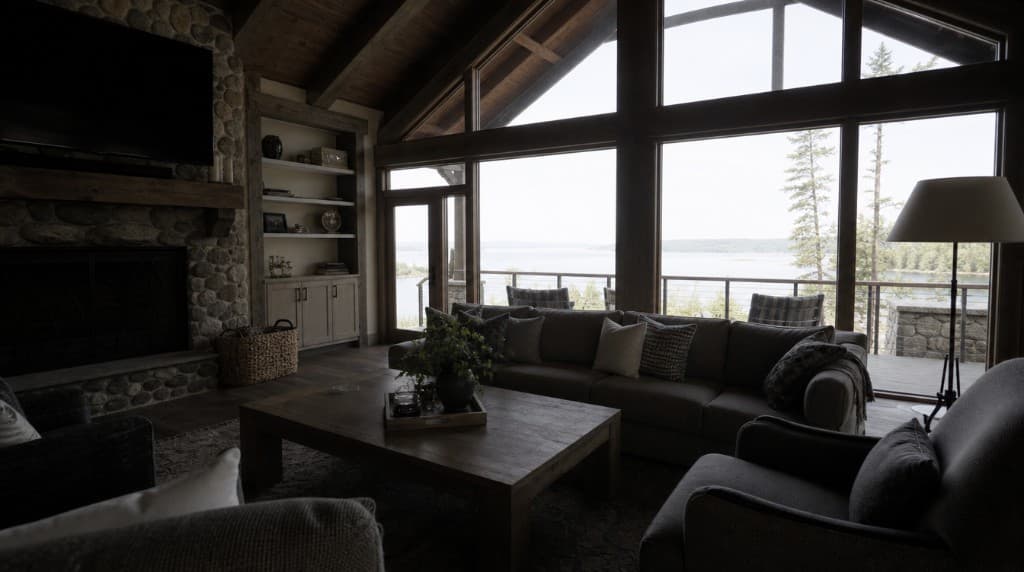
Dark original lake house living roomLake house living room with balanced exposureBalancedOriginalSwipe to compare
Studio model01

Balanced interior exposure

Recovered the room and window view while keeping the result natural enough for the full listing.

Settings used

HDR balanceNatural strength1K
About 2 minutes$0.36 per result
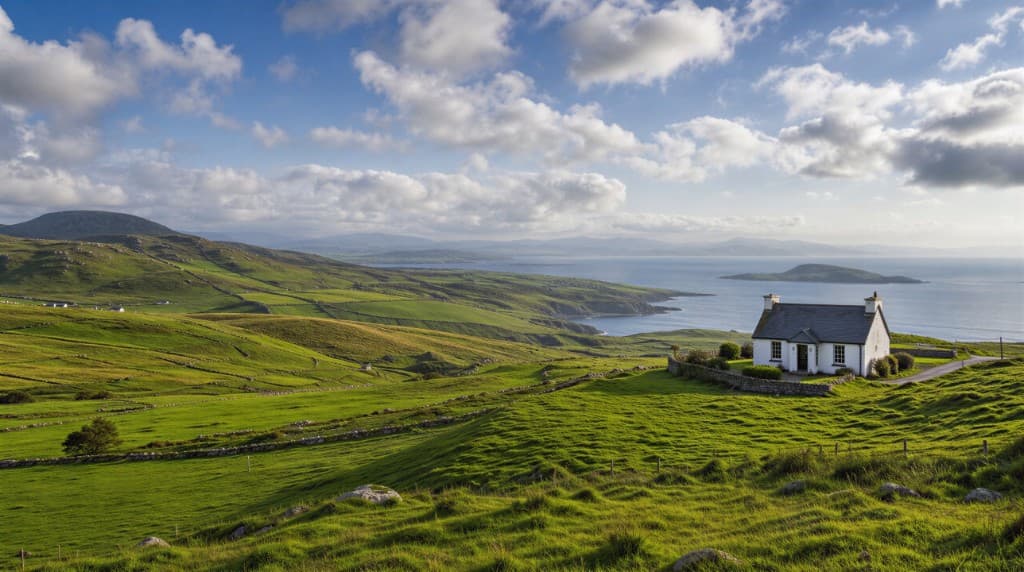
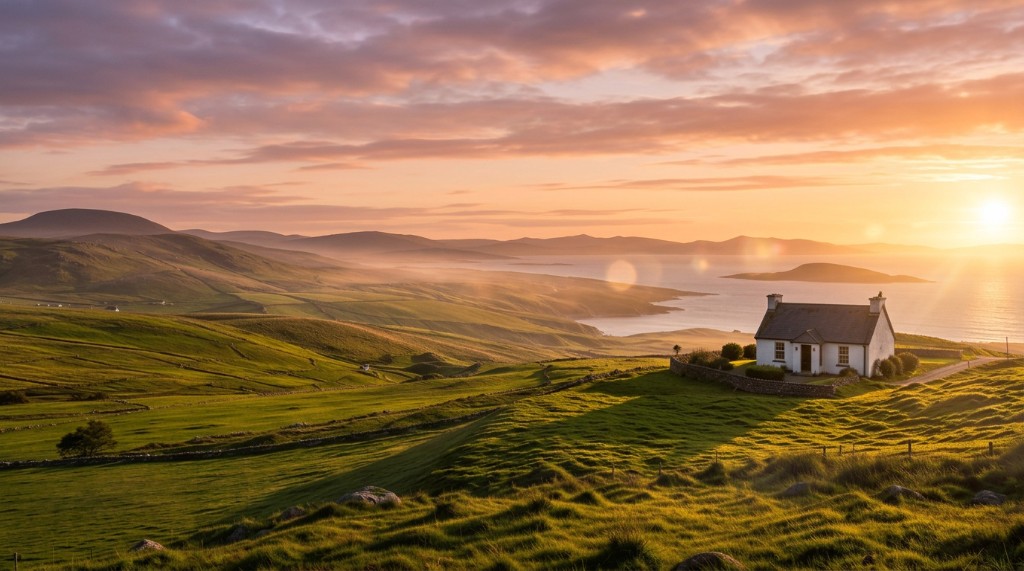
Original daytime coastal landscape with a white cottageCoastal landscape and white cottage transformed to golden hourGolden hourOriginalSwipe to compare
Fast model02

Golden hour with lens flare

Shifted a bright daytime landscape into warm evening light with the sun positioned naturally beside the property.

Settings used

Golden hourSun: On-screen to the rightLens flareUpscaled to 2K
About 30 seconds$0.14 per result
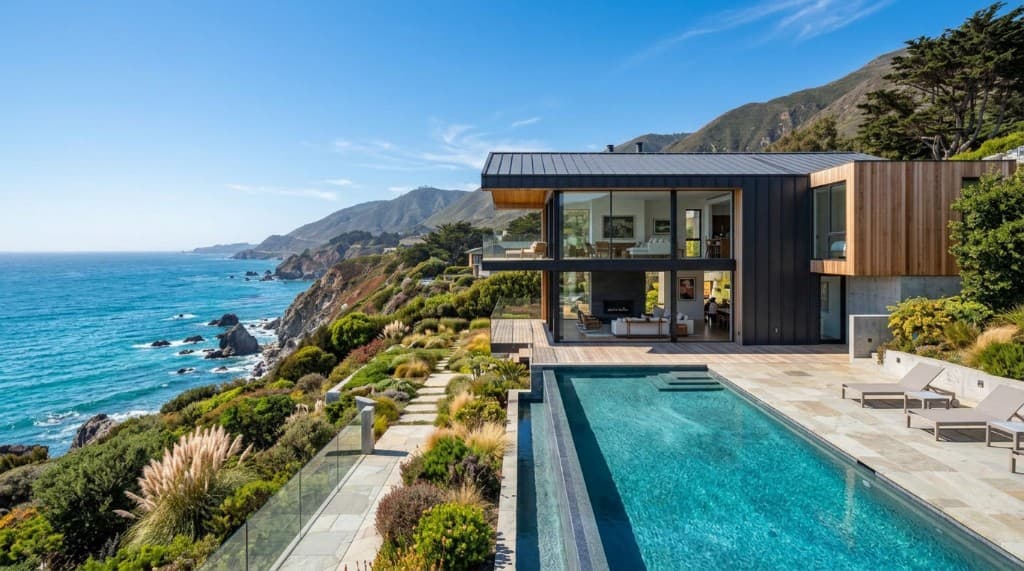
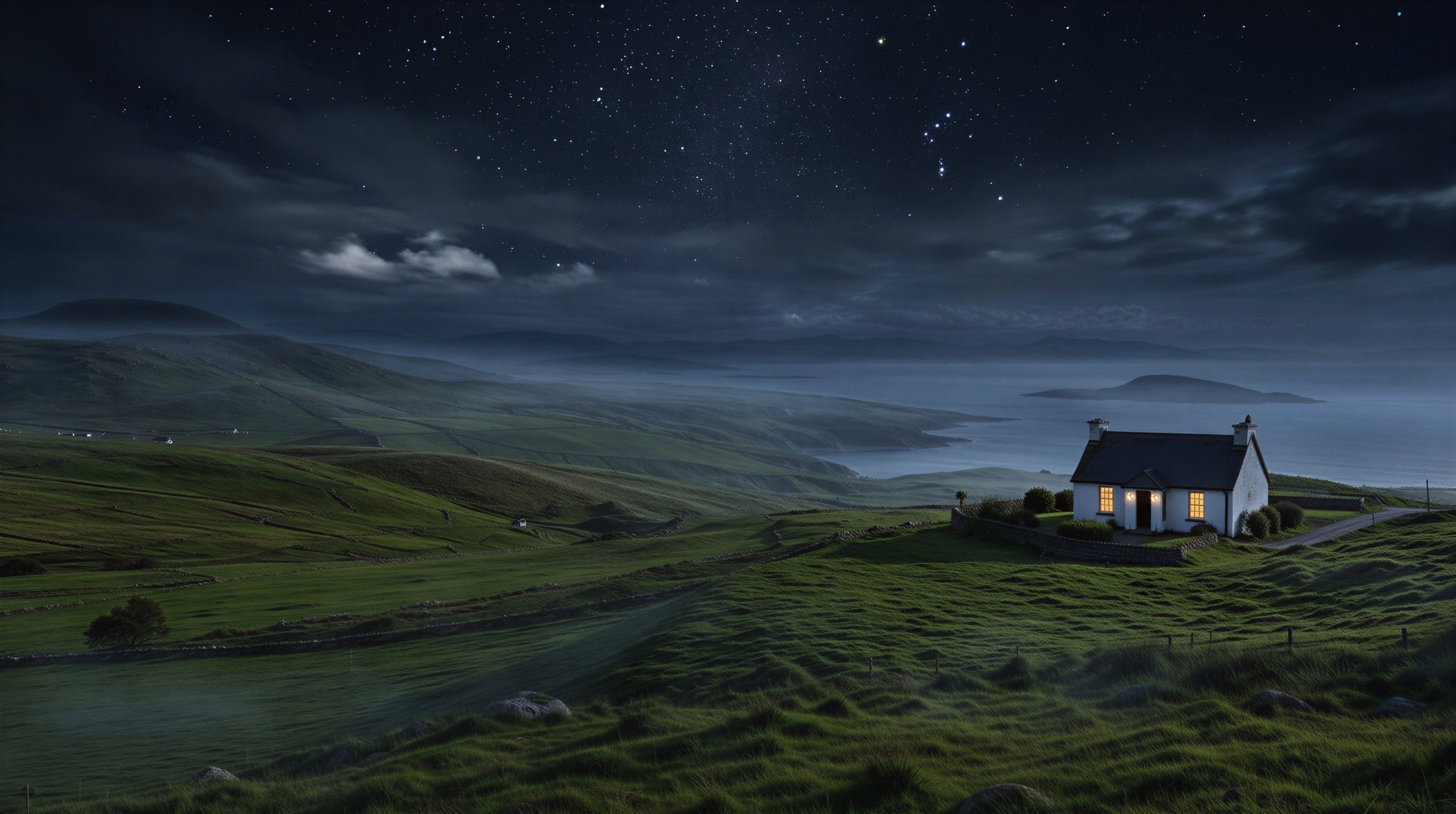
Original modern coastal home photographed during the dayModern coastal home transformed into a nighttime sceneNightOriginalSwipe to compare
Fast model03

Day to night

Turned a bright coastal exterior into a believable nighttime hero image with a star-filled sky and warm interior light.

Settings used

Day to nightNight skyInterior lightsPreserve structure1K
About 30 seconds$0.14 per result
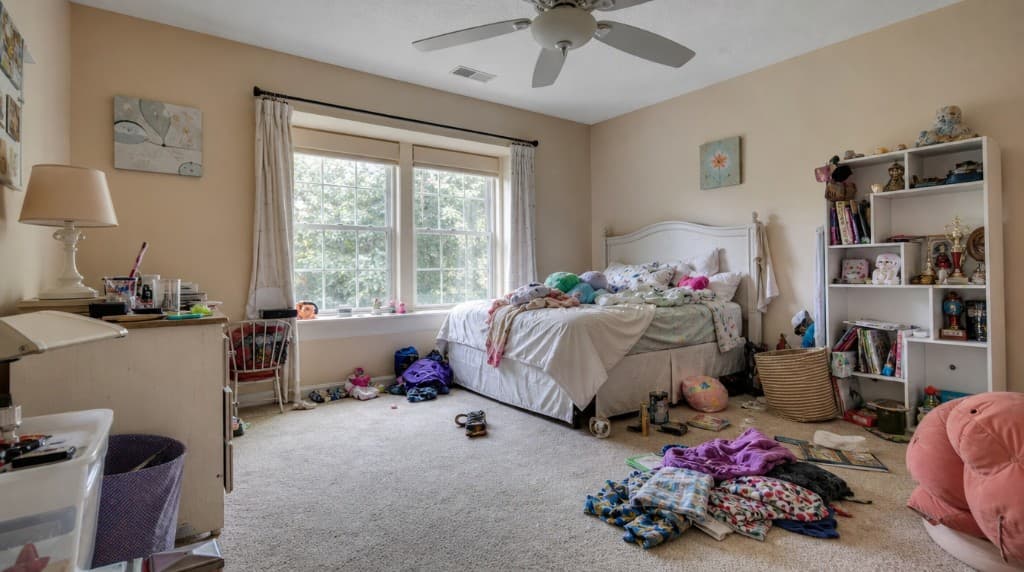
Original cluttered bedroomBedroom after decluttering and cleanupCleanedOriginalSwipe to compare
Fast model04

A cleaner, calmer bedroom

Removed visual distractions and personal items while keeping the room believable and ready to publish.

Settings used

DeclutterNatural cleanupPreserve room1K
About 30 seconds$0.14 per result
Original contemporary living roomContemporary living room with golden-hour lightingGolden hourOriginalSwipe to compare
Fast model05

Golden hour plus virtual staging

Furnished the empty room and introduced warm evening light in one coordinated edit.

Settings used

Golden hourVirtual stagingNatural warmth1K
About 30 seconds$0.14 per result
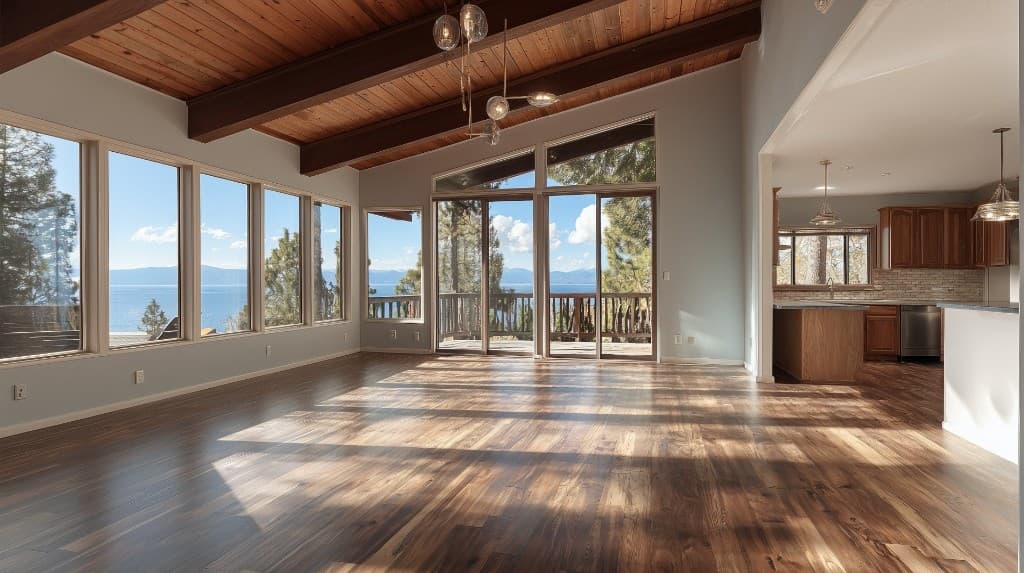
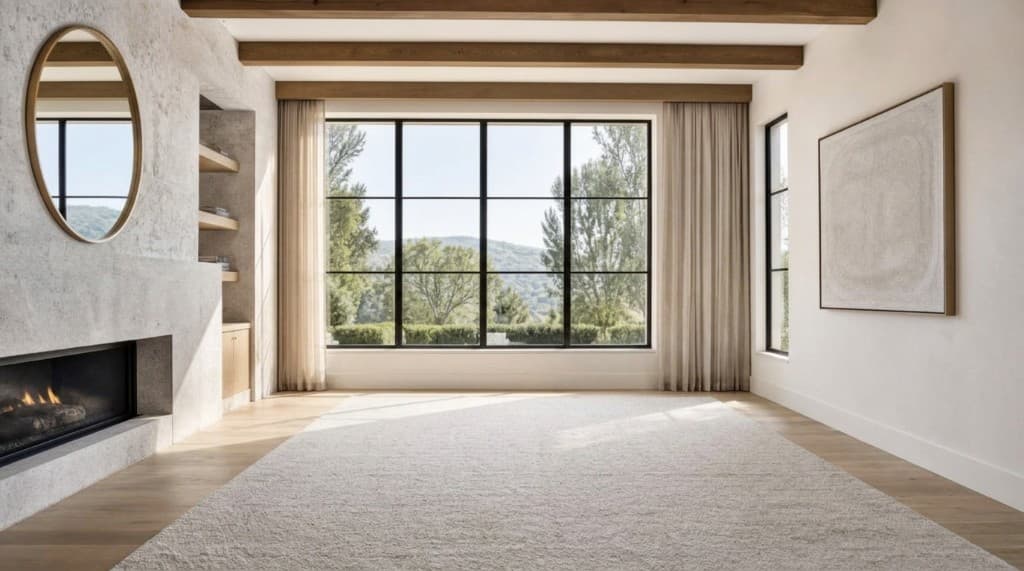
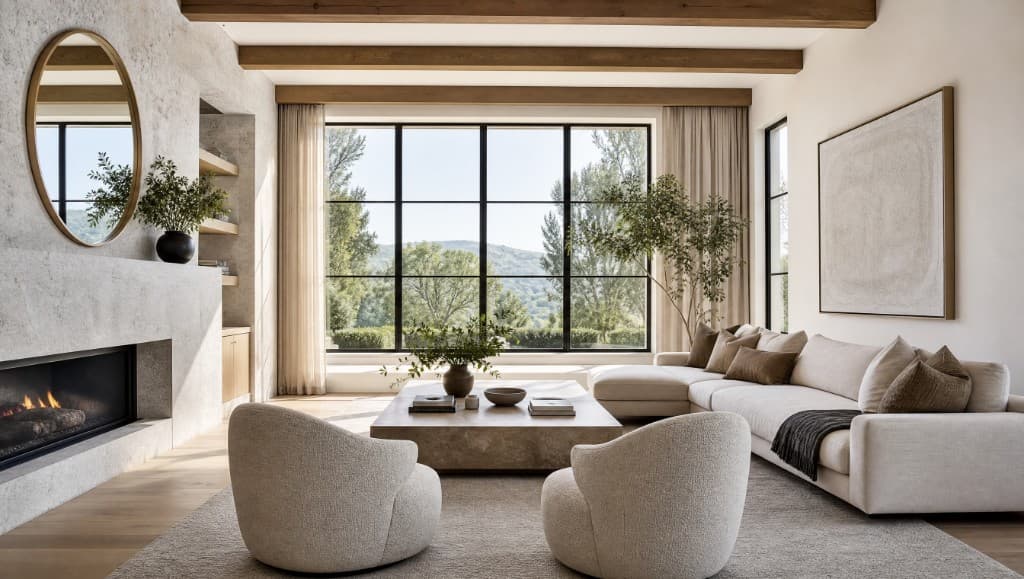
Original empty lake-view living roomLake-view living room virtually staged with contemporary furnitureStagedOriginalSwipe to compare
Fast model06

Fast virtual staging

Furnished an empty lake-view living room with the automatic staging workflow, then upscaled the selected result.

Settings used

Virtual stagingAuto1KUpscaled to 4K
About 30 seconds$0.14 per result

Cell phone edits

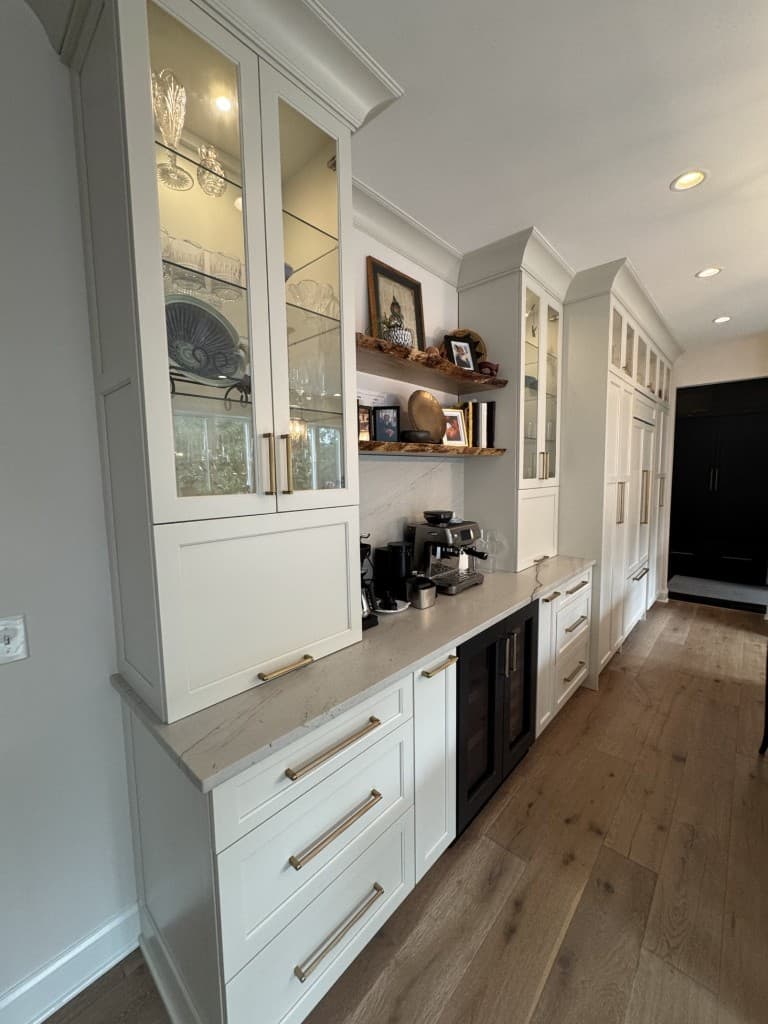
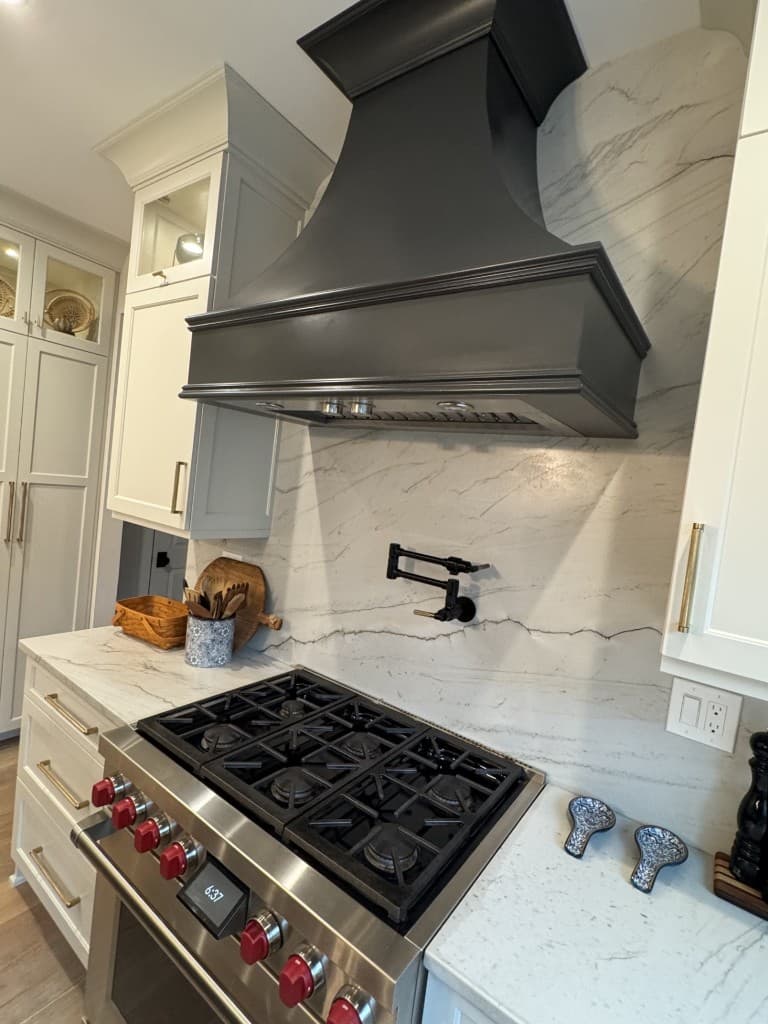
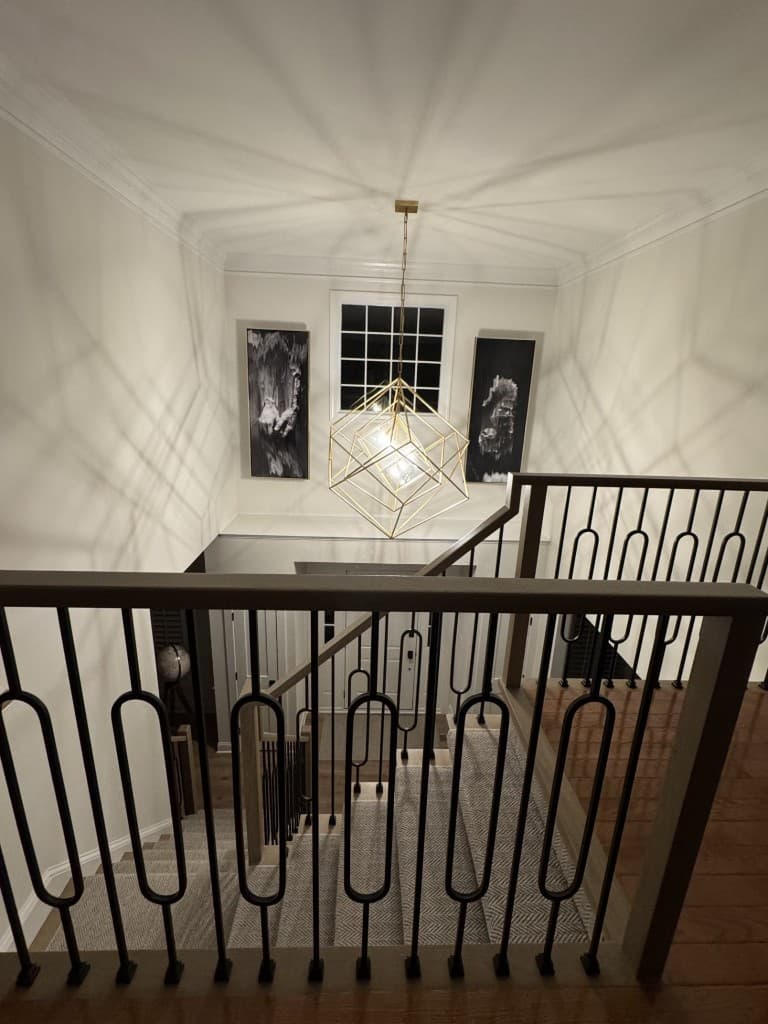
All three examples started as vertical phone photos and used the Studio model with the same recipe: Perspective Correction plus Reframe and Extend to 9:16.

Original vertical cell phone photo of white kitchen cabinetryVertical kitchen photo after perspective correction and reframingCorrectedView original
Studio model07

Perspective correction plus 9:16 extension

Corrected the vertical lines and extended the frame to preserve the full cabinetry view.

Settings used

Perspective correctionReframe and extend9:16
About 2 minutes$0.36 per result
Original close vertical phone photo of a kitchen range and hoodVertical kitchen range photo after perspective correction and extensionCorrectedView original
Studio model08

Perspective correction plus 9:16 extension

Corrected the vertical lines and extended the frame to preserve the full range and hood.

Settings used

Perspective correctionReframe and extend9:16
About 2 minutes$0.36 per result
Original vertical phone photo looking over an interior staircaseVertical staircase photo after perspective correction, extension, and polishCorrectedView original
Studio model09

Perspective correction plus 9:16 extension

Corrected the vertical lines, extended the frame, and added a magazine-quality finish to the staircase photo.

Settings used

Perspective correctionReframe and extend9:16Polish: Magazine quality finish
About 2 minutes$0.36 per result

Precision you can verify

See every option. Keep every good version.

Compare instantly

Hold or click to inspect the edit against the untouched original.

Save versions

Keep the edits you approve, revisit them later, and delete the ones you do not need.

Target revisions

Draw on the image and explain exactly what should change next.

Keep moving while edits run.

Start another photo instead of waiting on a loading screen. Subtle status indicators tell you when each result is ready.

WS

Carousel designer

Interactive preview

Saved
JUST LISTED social post preview

New listing

JUST LISTED

A home worth slowing down for

Feed · 4:5

Post format

Layout

Slides

Save post

Social Studio

The listing is edited. Now turn it into content.

Create a single feed post, a multi-slide carousel, or a vertical story without rebuilding the listing in another design tool.

  • Feed, square, and story formats
  • Up to 10 carousel slides
  • Multi-photo grids and draggable crops
  • Fonts, colors, logos, and backdrops
  • Designed scene looks and end cards
  • Save posts separately from drafts
Build your first post

Finish & deliver

Ready for the MLS, social feed, client, or print.

Choose the right output without sorting through downloads by hand.

Upscale selected images

Take an approved version to 2K or 4K while preserving the edit you chose.

Flexible ZIP downloads

Download edited photos, originals, designed slides, selected images, or everything.

Projects stay organized

Keep listing names, labels, versions, photo order, and social designs together.

How it works

From camera roll to complete listing package.

Start simple, then use the deeper controls only when a photo needs them.

01

Upload the listing

Create a project, add the photos, and put them in the order you want.

02

Edit and approve

Choose an edit, generate options, compare with the original, and save the best version.

03

Create and deliver

Build social content, upscale hero images, and download the right finished package.

Transparent pricing

Buy tokens when you need them.

One token equals one cent of editing credit. Tokens never expire, and the cost is shown before you generate.

Starter

$10

1,000 tokens

A simple way to try a listing.

Edit capacity, up to

71Fast edits

or

27Studio edits

Upscale capacity

333

2K upscales

200

4K upscales

Most popular

Pro

$25

2,700 tokens8% bonus

Bonus tokens for regular editing.

Edit capacity, up to

192Fast edits

or

75Studio edits

Upscale capacity

900

2K upscales

540

4K upscales

Studio

$50

5,600 tokens12% bonus

Built for a busy photo week.

Edit capacity, up to

400Fast edits

or

155Studio edits

Upscale capacity

1,866

2K upscales

1,120

4K upscales

Agency

$100

11,500 tokens15% bonus

The best value for volume.

Edit capacity, up to

821Fast edits

or

319Studio edits

Upscale capacity

3,833

2K upscales

2,300

4K upscales

3 free edits at signup 50 saved images included 2K upscale: 3 tokens · 4K upscale: 5 tokens Tokens never expire

Questions

A clearer way to edit listing photos.

The originals stay intact, you stay in control of the versions, and pricing remains visible.

What is the difference between Fast and Studio edits?+

Fast is designed for routine corrections and high-volume listing work at a lower token cost. Studio uses our highest-quality model for difficult lighting, detailed transformations, and images where maximum realism matters. Both let you compare the result with the original before saving it.

Will the AI change the room or architecture?+

The editor is designed to preserve the underlying property. You can compare every result with the original, generate alternatives, and keep only the version you approve.

Which photo formats can I upload?+

Upload JPEG, PNG, WebP, HEIC, or HEIF photos. RAW files are not currently supported, so export high-quality JPEGs from Lightroom or your preferred RAW processor before uploading.

Can I upload an entire listing and leave while it processes?+

Yes. Create a project for the listing and add photos in groups of up to 50. Once the uploads finish, you can queue bulk edits for up to 100 photos. Processing continues after you close the browser, and each result will be waiting when you return.

Can I deliver high-resolution or 4K images?+

Yes. Download edits at their generated resolution, then upscale approved versions to 2K or 4K. A landscape 4K result is approximately 3840 by 2160 pixels. Exact print-density metadata such as PPI is not guaranteed.

Which plan is best for a high-volume photographer?+

The Studio storage plan is the best starting point for photographers processing 100 or more photos per day because it holds up to 10,000 saved images. Storage plans and editing tokens are separate, so you can choose your storage capacity and purchase editing tokens as needed.

Do I need a subscription?+

No. Photo and social generation uses pay-as-you-go tokens. Optional storage plans are available only if you want to keep more projects and images in the app.

What counts toward my saved-image limit?+

Every uploaded original and saved version counts toward your account-wide image limit. Downloading and deleting finished projects frees capacity, while paid storage plans keep active projects available without the free-plan retention window.

How many photos can I edit at once?+

You can apply the same settings to as many as 100 photos in one bulk edit. WSPR processes a small number at a time for reliability and shows the rest as queued, so you can safely return later instead of waiting on the page.

What happens when I do not like a result?+

Generate multiple versions, switch models, refine the instruction, or draw directly on the photo to target the next change more precisely.

Can I use the finished images outside social media?+

Yes. Download individual edits at their generated resolution, upscale selected images to 2K or 4K, or export organized ZIP files for delivery.

Turn one listing into polished photos and ready-to-post content.

Start with three free edits. No credit card and no editing subscription required.